
Download SlimBrowser Portable – Fast, Secure, Ad‑Blocker Web Browser
Overview
SlimBrowser Portable, developed by FlashPeak, Inc., is a lightweight, Windows‑only web browser that packs a surprising amount of power into a compact, portable package. Built on Microsoft’s Trident rendering engine—the same core that drives Internet Explorer—SlimBrowser delivers familiar page rendering while adding modern conveniences such as a built‑in download manager, integrated ad blocker, and seamless import tools for users switching from other browsers. Because it runs as a portable application, there is no need for a traditional installation; you can launch it directly from a USB stick, external SSD, or cloud‑synced folder, making it an ideal choice for travelers, IT technicians, or anyone who prefers a clean, “no‑trace” browsing environment.
Despite its classic interface, which echoes the look of older IE versions, the browser is optimized for speed, often loading pages noticeably faster than its heavyweight competitors. The built‑in download manager claims to boost download speeds up to two times the standard, while the ad‑blocking feature eliminates intrusive banners and pop‑ups, giving you a smoother, more focused browsing experience. For power users, the ability to import bookmarks, history, and saved passwords from Chrome, Firefox, Edge, and other browsers simplifies the transition, ensuring that you never lose your favorite sites or saved data.
Overall, SlimBrowser Portable offers a blend of speed, security, and portability that makes it a practical tool for both casual surf‑ers and professionals who need a reliable browser on the go.
Key Features & Built‑in Tools
- Portable Architecture: Run directly from a USB drive or cloud folder without writing registry entries or leaving traces on the host PC.
- Trident Rendering Engine: Guarantees compatibility with legacy web applications that still rely on Internet Explorer’s rendering quirks.
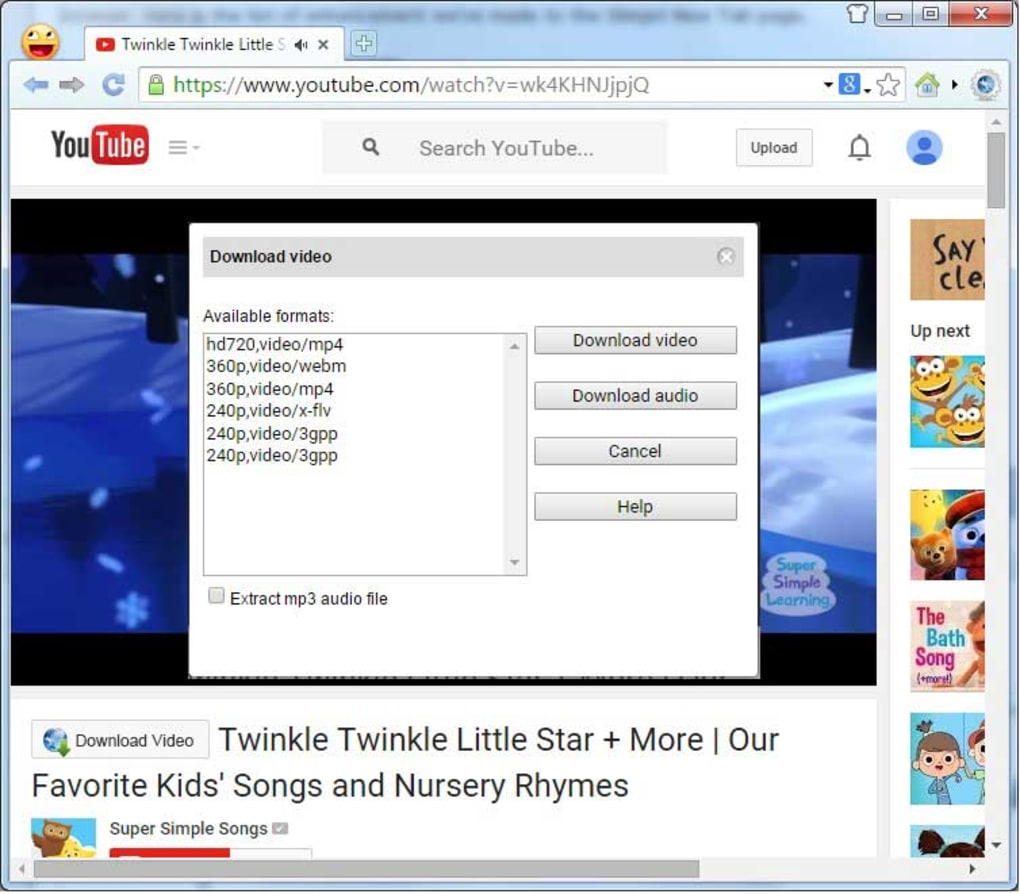
- Integrated Download Manager: Accelerates download speeds up to 2×, supports pause/resume, multi‑threaded fetching, and batch downloading.
- Built‑in Ad Blocker: Blocks banner ads, pop‑ups, and tracking scripts automatically, improving page load times and privacy.
- Bookmark & History Import: Seamlessly import data from Chrome, Firefox, Edge, and other major browsers, reducing migration friction.
- Tab Management: Supports drag‑and‑drop tab reordering, tab grouping, and session saving for efficient multitasking.
- Privacy Controls: Option to disable third‑party cookies, clear browsing data on exit, and launch in “Incognito” mode for extra discretion.
- Customizable Toolbar: Add, remove, or rearrange toolbar buttons to suit personal workflow preferences.
- Security Updates: Regular patches from FlashPeak keep the browser resistant to known vulnerabilities.
- Lightweight Footprint: Consumes less than 50 MB of RAM on idle, leaving ample resources for other applications.
Installation, Usage & Compatibility
Because SlimBrowser Portable is designed for true portability, the installation process is intentionally minimal. Follow these steps to get started:
- Download the ZIP package: Visit the official FlashPeak website or a trusted software repository and download the latest SlimBrowser Portable ZIP file.
- Extract the files: Right‑click the ZIP archive, select “Extract All,” and choose a destination folder on your USB drive, external SSD, or a local folder you plan to keep portable.
- Launch the browser: Navigate to the extracted folder and double‑click
SlimBrowser.exe. No admin rights or installer wizard are required. - Configure first‑run settings: Upon first launch, you’ll be prompted to choose a default download folder, enable or disable the ad blocker, and optionally import bookmarks from other browsers.
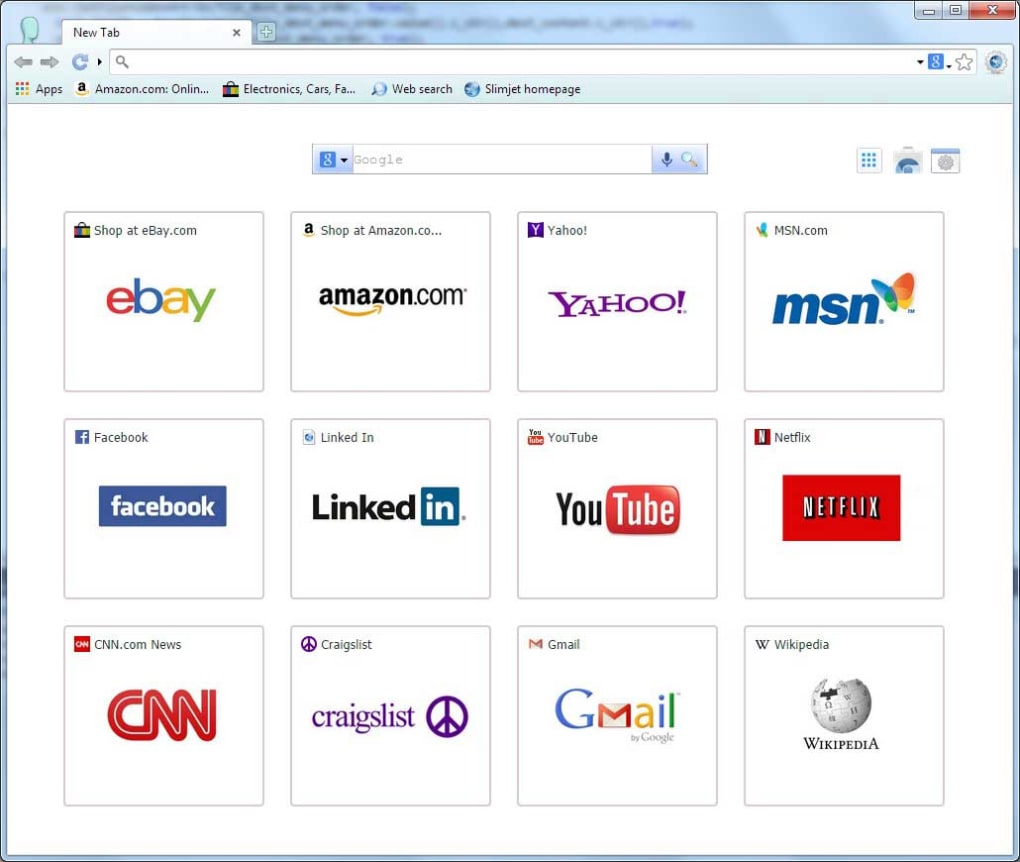
- Start browsing: Use the address bar as you would with any modern browser. The familiar IE‑style interface may feel nostalgic, but all core functions (tabs, history, extensions) work as expected.
Windows 7, 8, 8.1, 10, and 11 (both 32‑bit and 64‑bit) are fully supported. While the Trident engine is optimized for Windows, the portable nature means you can also run SlimBrowser on a Windows virtual machine without permanent changes to the host system. For users who need to keep their browsing data separate from the host PC, the “portable mode” automatically stores cookies, cache, and settings inside the same folder as the executable, ensuring that everything travels with the browser wherever you plug it in.
Usage tips:
- Speed up downloads: Open the built‑in download manager (click the down‑arrow icon) and enable “Accelerated Mode” to split files into multiple threads.
- Ad‑block customization: Access the ad‑blocker’s filter list via Tools → Ad Blocker → Settings to whitelist trusted sites.
- Session restore: Before closing the browser, select File → Save Session to preserve open tabs for the next session.
- Keyboard shortcuts: Use Ctrl+T for a new tab, Ctrl+W to close a tab, and Ctrl+Shift+B to toggle the bookmark bar.
Pros and Cons
Pros
- Fully portable—no installation or registry changes required.
- Integrated download manager can double typical download speeds.
- Built‑in ad blocker improves page load times and privacy.
- Supports easy import of bookmarks and history from major browsers.
- Low memory footprint makes it suitable for older PCs and thin clients.
- Regular security updates from FlashPeak keep it safe against known threats.
- Works on all recent Windows versions, both 32‑bit and 64‑bit.
- Simple, familiar interface reduces the learning curve for IE users.
Cons
- Relies on the legacy Trident engine, which may render some modern web standards imperfectly.
- Interface looks dated compared to Chrome, Edge, or Firefox.
- Lacks a large extension ecosystem; advanced users may miss add‑ons available in other browsers.
- Only available for Windows—no native macOS, Linux, Android, or iOS versions.
- Some advanced privacy features (e.g., DNS‑over‑HTTPS) are not built‑in.
Frequently Asked Questions
Is SlimBrowser Portable truly free to use?
Yes, SlimBrowser Portable is offered as a free download for personal use. There are no hidden fees, and the portable version does not require a license key.Can I run SlimBrowser Portable on a Mac or Linux machine?
SlimBrowser Portable is built exclusively for Windows operating systems. Mac and Linux users would need to run it inside a Windows virtual machine or use compatibility layers like Wine, though official support is limited to Windows.How does the built‑in download manager achieve 2× speed?
The manager splits each file into multiple download threads, allowing simultaneous retrieval of different file segments. This multi‑threaded approach makes better use of available bandwidth, often resulting in roughly double the speed of a single‑thread download.Is my browsing data stored securely when using the portable version?
All cookies, cache, and session files are saved inside the same folder as the executable, not on the host computer. This isolation keeps your data private and makes it easy to delete everything simply by removing the folder.Can I import extensions or add‑ons from other browsers?
SlimBrowser does not support third‑party extensions in the same way Chrome or Firefox does. However, many built‑in features—such as the ad blocker and download manager—cover the most common needs without extra add‑ons.In summary, SlimBrowser Portable delivers a fast, secure, and truly portable browsing experience for Windows users who value speed, ad‑free pages, and the ability to carry their browser from one computer to another without a trace. If you’re looking for a lightweight alternative that still handles downloads efficiently and offers basic privacy tools, give SlimBrowser Portable a try today.
Ready to download? Click the button below to get the latest portable version, extract it to your preferred USB drive, and start browsing instantly—no installation required.







